Top 5 Common Workflow Automation Mistakes and How to Avoid Them

Table of Contents
- Introduction
- Common Workflow Automation Mistakes
- Unclear Processes
- Too Many Tools
- No Standard Workflow
- Limited Visibility
- Poor Communication
- Solutions for Effective Workflow Automation
- Define and Document Clear Processes
- Reduce Tool Fragmentation
- Standardize Repeated Workflows
- Improve Visibility and Transparency
- Connect Communication to Work
- Conclusion
Introduction
Many marketing agencies think that workflow automation will make work faster and give people more time for important tasks. But sometimes, it can actually create new problems. The reason is simple. Automation only follows the process that already exists. If the process is unclear or communication is messy, automation copies these problems instead of fixing them. This can leave teams frustrated and managers unable to see what is happening. Automation then stops being helpful. This blog explains five common workflow automation mistakes and shows how to avoid them by making processes clearer and automation smarter.
Common Workflow Automation Mistakes
The following mistakes explain where workflow automation often goes wrong and why these problems appear across marketing teams.
Unclear Processes
This means that the way work is done is not properly defined before automation is applied. Tasks are still handled differently by different people, steps are missing or unnecessary, and responsibilities are not clearly assigned. Some actions may depend on personal judgment rather than clear rules.
When such processes are automated, the automation has no solid structure to follow. As a result, automation does not reduce effort. It increases confusion. Errors repeat faster, approvals get stuck, tasks move to the wrong people, and teams end up fixing issues manually even after automation is in place. Instead of saving time, the workflow becomes harder to manage.
Too Many Tools
Teams often use different tools for different tasks. They use one for communication, another for reporting, and so on. Each tool may work well on its own, but together they create fragmented workflows. When work is spread across multiple platforms, information gets lost. Task updates live in one place, discussions happen somewhere else, and files are stored in separate systems. People then spend more time switching tools than actually completing work. Also, important context is missed, and the same task may be updated differently in different places.
Automated actions depend on integrations between tools, and when one connection breaks, the entire workflow is affected. Teams then have to follow up with clients manually to keep work moving. And automation is of no use in this case.
No Standard Workflow
Many teams automate workflows without standardizing how repeated work is handled. Similar tasks are completed differently depending on the person or situation. Steps are handled differently each time, with no record of why changes are made. This leads to unpredictable outcomes as time passes. When automation is applied to inconsistent workflows, results vary a lot. Some tasks move smoothly, but others fail without clear reasons.
New team members also struggle to understand how work is supposed to flow. And managers find it difficult to compare performance or identify issues because each workflow behaves differently. Inconsistent handling of repeated tasks also increases dependency on individuals. If those people are unavailable, workflows slow down or stop completely.
Limited Visibility
In some cases, tasks move automatically, and statuses update, but managers and team members cannot clearly see what is happening in real time. This is because of limited visibility. It makes it difficult to understand progress or manage workload. It also makes it harder for leaders to make decisions on time since they delay decisions due to missing information. Teams also wait for instructions instead of moving forward. Limited visibility also stops teams from learning and improving. If they cannot see how work progresses completely, it is hard to notice patterns or make workflows better.
Poor Communication
Automation often fails when communication is not connected to the actual work. Messages are shared through emails or chat tools, but tasks are managed somewhere else. Because of this, important details are missed, and people do not have the full context. This causes issues during handovers. When a task goes to the next person automatically, they may not know what has already been completed or why certain things were done in that work. This results in slower progress and frustration.
Poor communication can also make it hard to improve workflows over time. When discussions and decisions are scattered across different channels, teams cannot easily see which steps worked well and which caused problems. This prevents learning and slows process improvement.
Solutions for Effective Workflow Automation
You can use the following solutions to improve workflow efficiency and reduce manual effort.
Define and Document Clear Processes
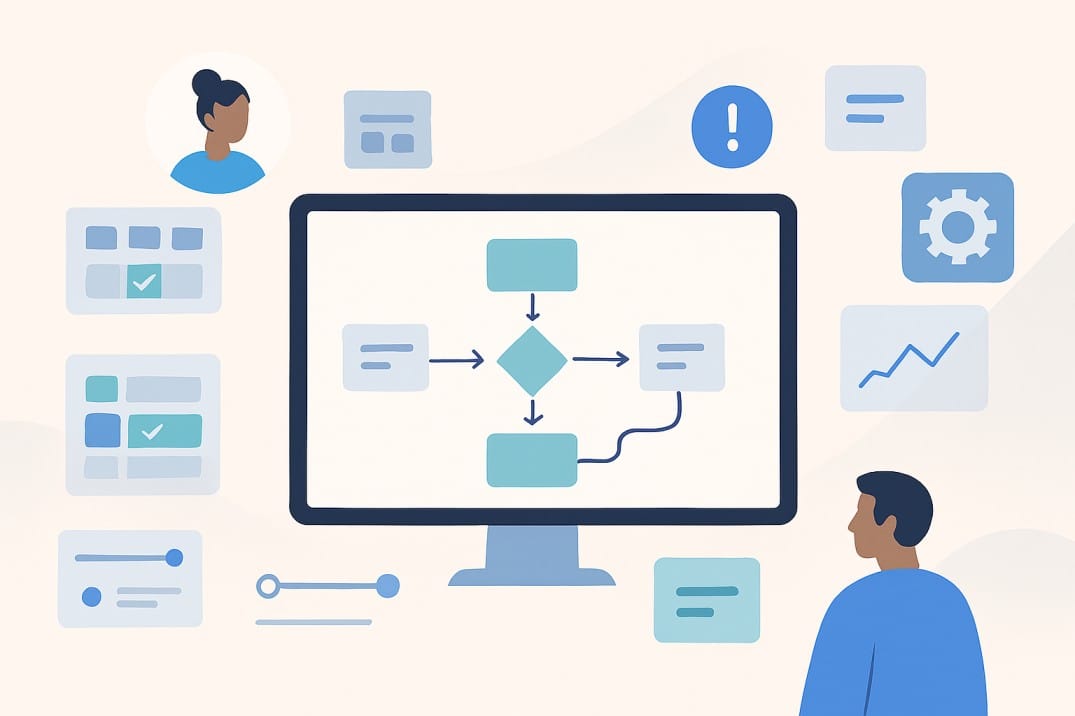
Before any automation is applied, the workflow should be reviewed. Responsibilities should also be fixed, not flexible. Decision points should be identified separately from routine actions. Once the process is stable and predictable, automation can support it without creating confusion. Teams should also write down each step of the workflow. This helps everyone know what to do, who is responsible, and what the expected result is. It also makes it easier for new team members to follow the process.
It is important to test the workflow before full automation. Trying out a small part first can show if there are missing steps or mistakes. This prevents bigger problems later. Workflows should also be checked and updated regularly. Tasks and team roles can change over time, and regular reviews keep the automation running smoothly.
Reduce Tool Fragmentation
When communication and workflows are connected, automation becomes more reliable. Context stays attached to the work, and people spend less time searching for information. Fewer tools also lead to simpler automation and better adoption across teams. Automation is most effective when it is used in a connected system rather than across scattered platforms.
Standardize Repeated Workflows
Standardization means defining a reliable base workflow that handles most situations. Repeated work should follow a fixed set of steps unless a change is genuinely required. This allows automation to work properly across different teams. Standard workflows also make automation easier to maintain. Changes can be applied once instead of being fixed repeatedly in different versions of the same process. Later, this leads to more predictable outcomes and higher trust in automation.
Improve Visibility and Transparency
The right information should be shown at the right time. Teams need to see task status and ownership. And managers need to understand workload distribution and bottlenecks. When this information is available in real time, automation becomes transparent. Clear visibility also allows automation to support proactive management. So, issues can be addressed early, and adjustments can be made quickly. This increases trust in automated workflows.
Connect Communication to Work
Good automation keeps communication close to the work. Messages and decisions should be visible within the task itself. Human review should stay in place where accuracy or responsibility matters. By connecting communication directly to tasks, teams can share knowledge and reduce mistakes. Workflows also become smoother, and teams can focus on completing tasks instead of managing misunderstandings.
Teams should set clear rules for where updates and files should go so that information is easy to find. By using comments or notes inside tasks instead of separate emails, everyone will be able to see the full history of a task. It also helps to review communication regularly and adjust unclear steps.
Conclusion
Workflow automation is a tool that follows the process you already have. If the process is unclear, automation can make problems worse instead of better. Using too many tools and skipping standard steps reduces the benefits of automation. Tracking progress and separating communication from work also causes problems during automation. With careful planning, you can solve these problems. You should have clear processes and connected tools. Your workflows should also be standardized. There should be good visibility and communication, too. This way, automation will help your creative agency save time and reduce errors. Work will also go on smoothly, increasing productivity.